 Home
 Back
 Forward
 Print
Raising Remittance Advice
The raising remittance advice process guides you through reprinting raised remittance advices for suppliers.
All operations related to property management are done from one place in the software - the Property
Management Procedures window. The shortcut key to this window is F11, so remembering this keystroke means you can perform an operation from anywhere, at any time.
The window presents a wizard style interface that guides you through steps of each procedure, starting with deciding what you want to do.
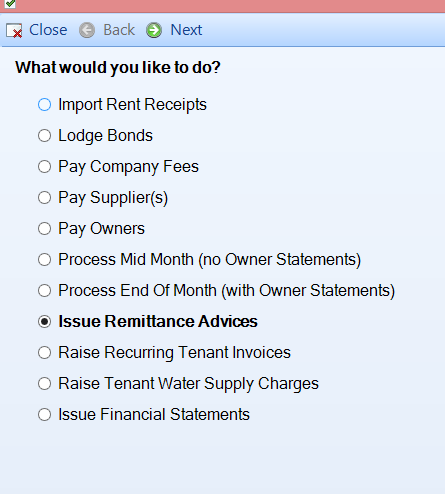
To perform the Issue Remittance Advice procedure,
· Select Issue Remittance Advices
· Click Next
You will be taken to the next step of the procedure.
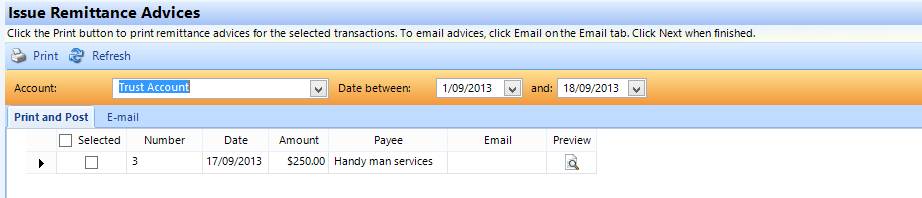
Update your date range you wish to reissue the remittance advices for
· Select the remittance advice you wish to issue under print and post or email
· Click on print/email
· Once you have completed printing or emailing the remittances click on close