 Home
 Back
 Forward
 Print
Edit a Listing
1. Click on the Properties menu/function button.
3. Ensure the appropriate Department is displayed/selected from the Department Drop Down
List. I.e.: Residential. Commercial etc.
4. At the top of the List of records area enter your search criteria in the Look for field. You may
search for a Listing using any of the Address fields, for example 12 Middlegate Street, Sydney. You may enter, 12 or Middlegate or Street or Sydney. Note: You are also permitted to enter abbreviations such as “Mid” or part of the word contents such as “gate”.
5. Click on the Find Now button.
6. The system will display all results in the List of records area below.
7. Double left click on the Listing to display its details in the Active Window.
8. Click on the relevant Tab/s to view or edit information for this Listing and make any necessary
alterations.
9. Select the
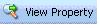 icon to view the Property details if required.
10. Click on Save and Close to save the information entered, alternatively click on the X at the top
right corner of the Active screen, a message will appear “Do you want to save changes?” Select Yes, No or Cancel accordingly.